I have started playing with ChatGPT Plus last week, after having written an Assistant that enables chatting with the OpenAI (and others) API from Signal and WhatsApp (and others). So I was missing a couple of features I had implemented there. At the same time, I wanted to experiment how simple is it to create a new “Action” in ChatGPT plus.
The usual “Weather” API was too simple and uninteresting. So I decided to go for Google Drive connector! Easy peasy.
Authentication
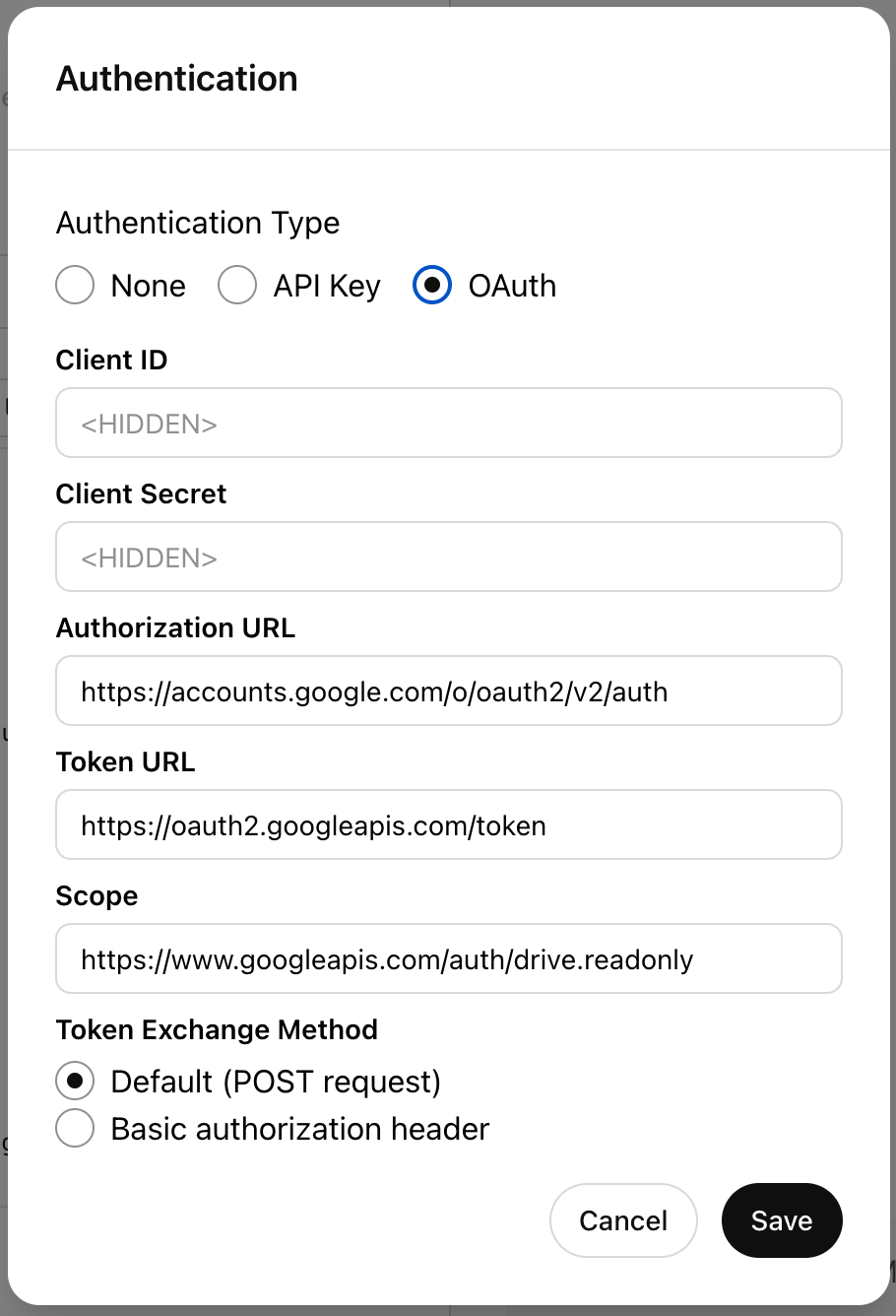
In the image on the right, you can find the values for the Authorization URL and the Token URL
You can set the OAuth Scope to just “drive” if you trust GPT enough to write your own Google Drive files.
The Client ID and Client Secret must be set to the values present in your Google Cloud Console. Actually I already had one, so the only thing I had to change was the “Redirect URI”, to match what’s in the “Callback URL” of the Action.
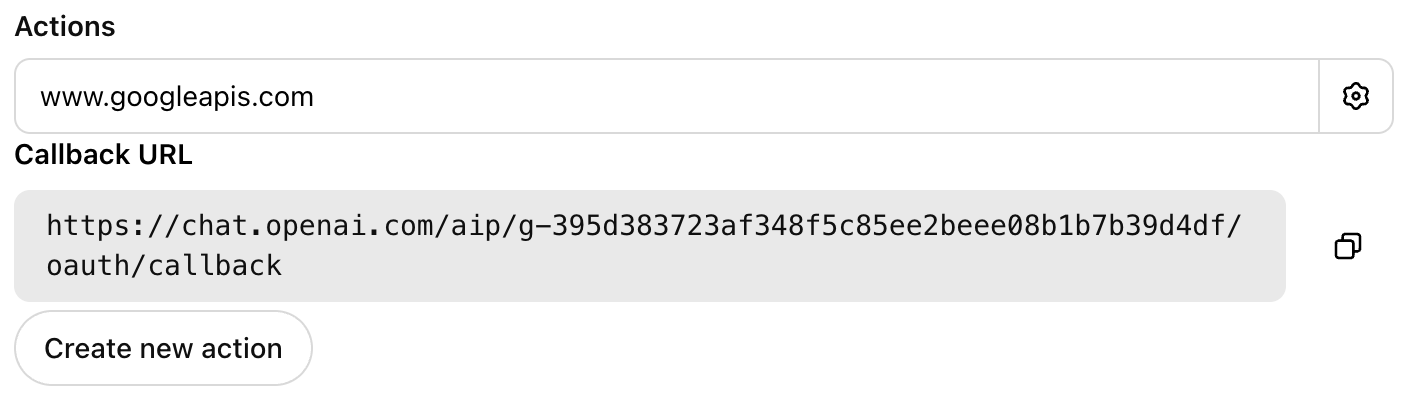
The gist
-
Within this gist you’ll find the OpenAPI yaml that you shall copy and paste to the “Schema”
https://gist.github.com/nilleb/32e75cdfe0fc14ce1aa9ae1cb589d49f
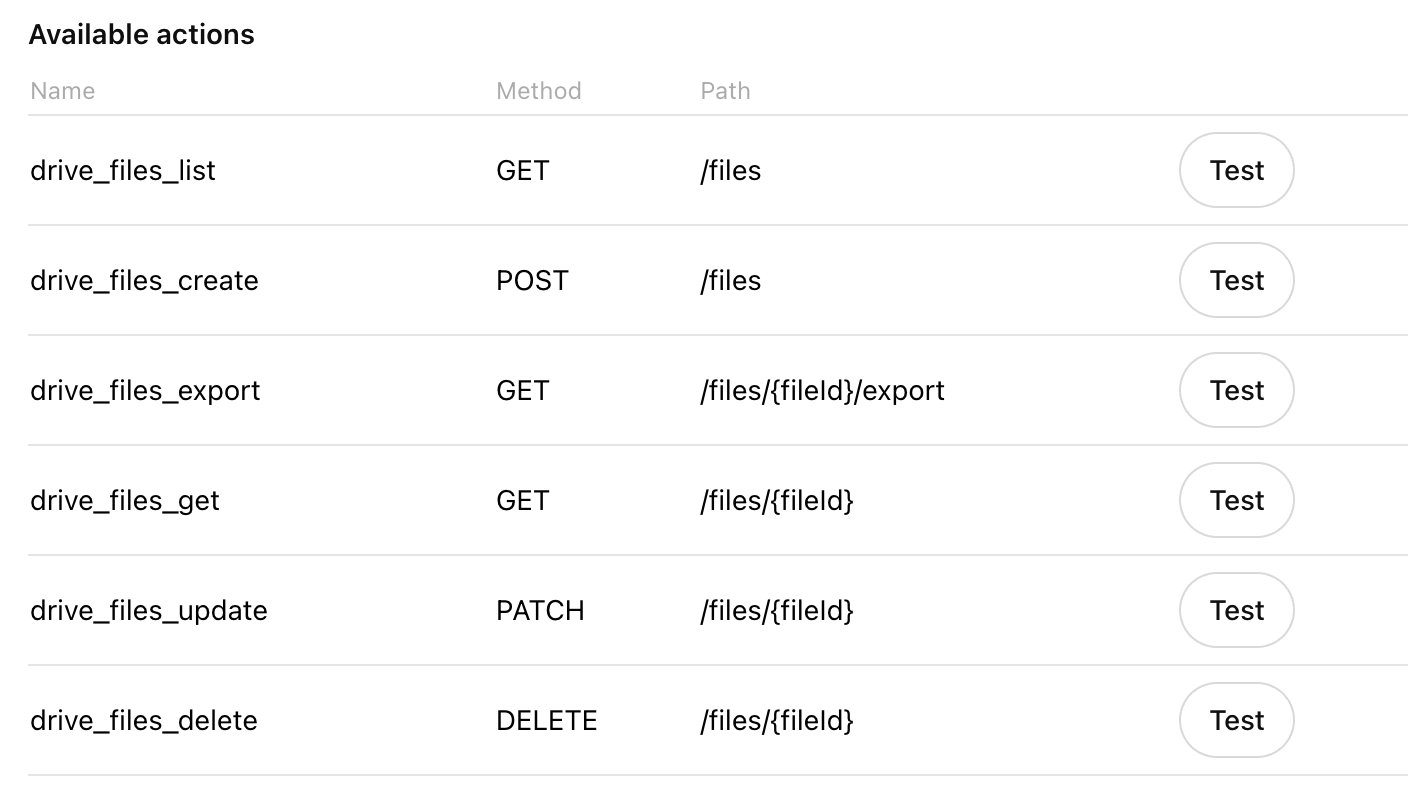
Once copied, the “Available Actions” section will be filled with the following actions
Using it
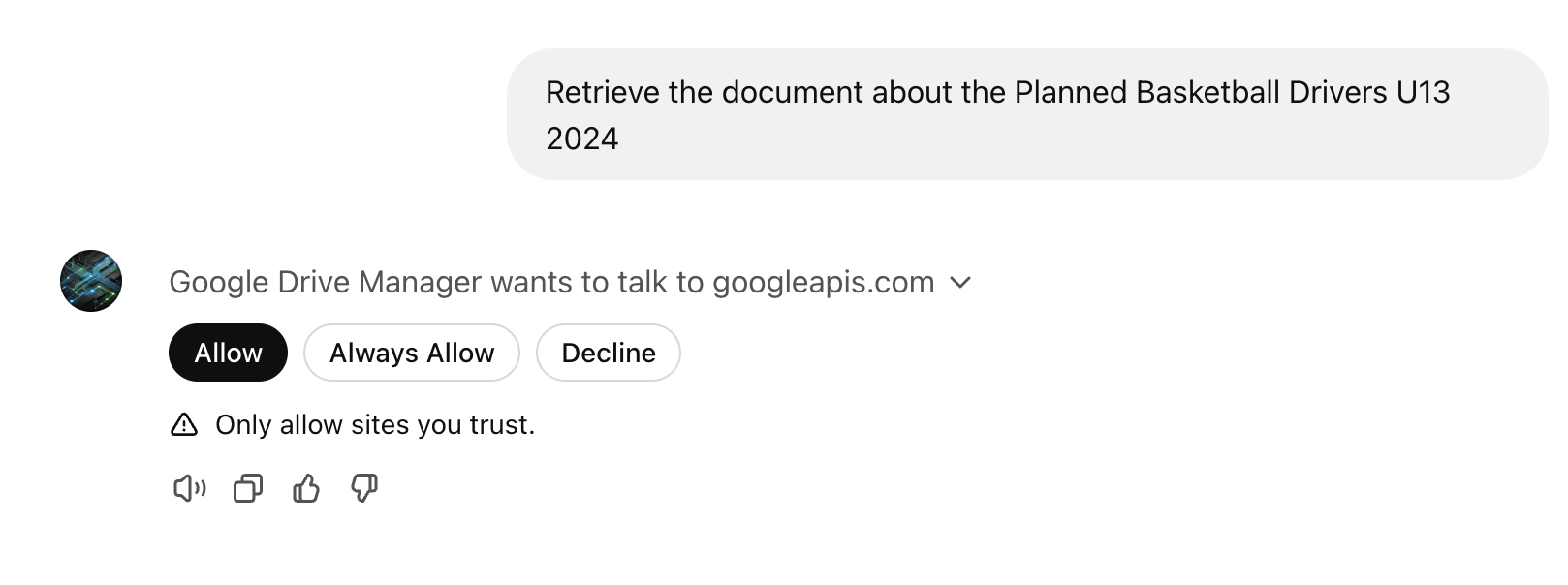
Of course you shall authorize the extension (and this, for every action you take on a Google Drive question)
The greatest limitation so far is that it needs some help; such as you have to drive it step by step, with instructions like
- retrieve the most recent files
- export the content of the file related to XYZ to CSV
- ask questions about XYZ
But if you’re as lazy as me, this will still be easier than connecting to Google Drive and download the file 🙂
Conclusion
Yeah, it’s easy when you’ve experience enough with the Google Cloud and OAuth. Of course, ChatGPT can help you going straight to the point when researching for the right values (the scopes, the authentication and token URL, …)
The next time I’ll try to connect to a fastapi api, proxying my own documentation database. It has been fun to implement an Haystack ingestion pipeline for a few datasources - but this will be the subject of the next blog post!
I hope that this document has been helpful to you - stay tuned for more insights!